

- Categories: PES 2016

Download PES 2016 Julian Cames DLC v1.6 Compatible Data Pack 4.0
NEW FEATURES :
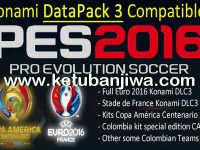
– Konami DLC 4 compatible.
– Kits Colombia for Copa América Centenario 2016: Correct Adidas Dorsals.
– Other some kits.
HOW TO INSTALL :
1. If you have a EditFile, you must delete it.
From MyDocuments: “\KONAMI\Pro Evolution Soccer 2016\save”
2. Go to your download steam folder:
– Delete all DpFileList* bin files (DpFileList.bin, DpFileList_MTCHMK.bin, DpFileList_EDITMODE.bin, etc.)
3. Delete the cpk file JulianCamesPatchs_MTCHMK.cpk.
4. In your download steam folder, copy the following files:
– JulianCamesPatchs_06.cpk
– JulianCamesPatchs_MTCHMK.cpk
– DpFileList_MTCHMK.bin
– DpFileList.bin
NOTE :
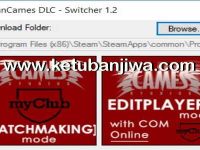
You can change modes with the same : JulianCamesDLC Switcher V.1.2
Your download folder should look like this :

REQUIRED :
– Konami Datapack 4.0
– JulianCamesDLC 1.0 (Included)
– JulianCamesDLC 1.2
– JulianCamesDLC 1.3 (Included)
– JulianCamesDLC 1.4 (Included)
– JulianCamesDLC 1.0 (Included)
– JulianCamesDLC 1.2
– JulianCamesDLC 1.3 (Included)
– JulianCamesDLC 1.4 (Included)
DOWNLOAD LINK :
MEGA : DOWNLOAD HERE





Join the Discussion!