

- Categories: PES 2015

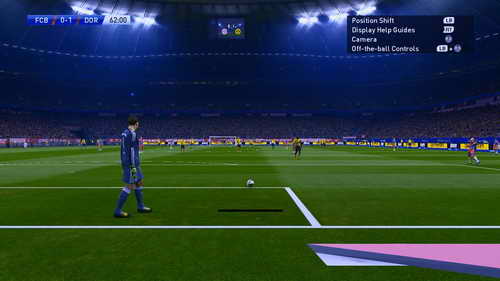
Download PES 2015 SweetFX Preset Mod Perfect PES by Chuny
Latest update Pro Evolution Soccer PES 2015 SweetFX Preset Mod Perfect PES by Chuny for PC.
TUTORIAL INSTALL :
Install using SweetFX Configurator :
- First step, you need the SweetFX Configurator version 1.3.3 or later.
- Select the game in the games list (you might have to add it to the list first)
- Click the “Save / Load configuration” button
- Click “Import preset” OR drag the downloaded settings file to the preset list
- Select the new preset in the list
- (Optional) Rename the new preset
- Click on “Load selected preset” and the preset will be loaded into the Configurator main window
Manual install :
First of all, you need SweetFX to use these presets. For installation I’ll just refer you to that thread, which have pages of information, and link to a great introductionary youtube video.
Then, when SweetFX is running and enabled for the game, you either :
- Copy the downloaded preset into the game folder
- Edit the file “SweetFX_preset.txt” to point to the new file
OR just copy the content and replace the existing SweetFX_settings.txt content.
PREVIEW :


DOWNLOAD LINK :
SweetFX v1.5 : DOWNLOAD HERE
PRESET MOD : DOWNLOAD HERE
=========================================
MORE SweetFX PRESET MOD : DOWNLOAD HERE



Join the Discussion!