

- Categories: eFootball 2026/ PS2 Games
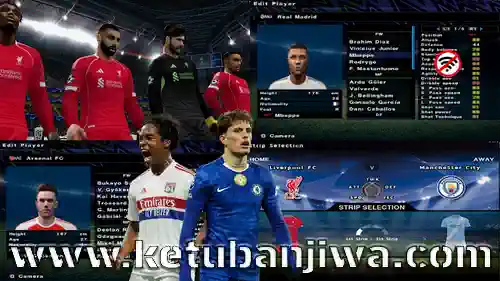
Download eFootball 2026 Winter Transfer Season 2025/2026 For PlayStation 2 ISO
FEATURES :
Update Winter Transfer
Update Some New Face
Update Winter and UCL Ball
Update Indonesia Jersey
Better Camera
Better Grass Color
– Update Squad List Euro and Copa america
– Update Kits Euro and Copa america
– Update Leaked Kits 2025/26 Season
– New Stadium
– Better Grass Texture
– Better Grass Color
– Update Leaked Kits Season 2025/26 (more than 15 team)
– Update Kits Euro and Copa america
– Update and added Face
– 8 Nations Team Quarter Final
– Better Grass Texture
– Better Grass Color
– Special AFC U23 Asian CUP
– Full Face Indonesia Nations Squad
– Some New Kits
– 8 Nations Team Quarter Final
– Better Grass Texture
– Better Grass Color
HOW TO INSTALL :
For PS2 Console (Using USB or OPL) :
1. Extract the ISO from the downloaded archive.
2. Transfer to USB using USBUtil or directly to HDD (if using
FHDB).
3. Boot your PS2 with Free McBoot.
4. Launch Open PS2 Loader (OPL).
5. Navigate to game > Press X > Play!
For PC (Using PCSX2 Emulator) :
1. Download & install the PCSX2 Emulator (Windows, Mac,
or Linux).
2. Configure BIOS and video settings.
3. Select the PES 2026 ISO file.
4. Adjust controller settings and screen ratio.
5. Start the match!
For Android (Using AetherSX2 or DamonPS2) :
1. Install AetherSX2 from Google Play Store.
2. Place the ISO in a folder on your internal or SD storage.
3. Open the emulator and locate the ISO.
4. Set up on-screen controls or connect a Bluetooth gamepad.
5. Start playing!
DOWNLOAD LINK : DOWNLOAD HERE
PASSWORD : mprogaming.com
=====================================
NEW UPDATE : DOWNLOAD HERE


Related Posts:







Join the Discussion!