This site uses cookies for analytics and to improve your experience. By clicking Accept, you consent to our use of cookies. Learn more in our privacy policy.
Download PES 2021 Option File October All In One – AIO Season 2027 For PC + PlayStation 4 + PlayStation 5
FEATURES :
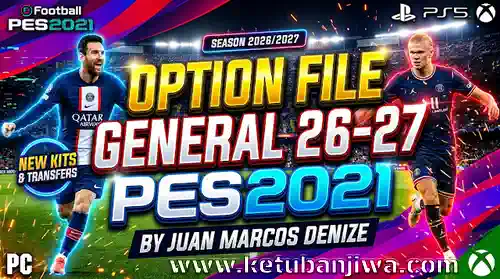
Multiple football leagues : Brings together various championships, offering a wider range of teams. Includes the 2026 Argentine Clausura, EPL, Bundesliga, La Liga, Serie A, etc. (see image above).
National teams : Includes national squads for playing international matches.
Special teams : Adds extra content to expand the options available within the game. Features teams from other European nations, 2 “legends” squads, and more.
Custom kits : Includes kits created by the author and other contributing editors.
Content updates : Aims to keep the game up to date through new versions and modifications. Updates for leagues in Chile, Colombia, and Brazil are coming soon.
LIGA PLA No league included.
Option File Compatibility
Before installation, ensure that the files correspond to your specific platform and game version.
The creator has released a version updated as of October 2026. The instructions state that PC, PS5, and PS4 users must use a clean installation of PES 2021—without any other patches—and must have ALL DATA PACKS (1.0–7.0) installed to avoid compatibility issues.
Important: Do not mix files from different Option Files without verifying their compatibility. Using a patch that modifies the same leagues, teams, or game structures may lead to errors or the loss of certain modifications.
HOW TO INSTALL FOR PS4 AND PS5 :
– Download the appropriate Option File (see link below).
– Extract the compressed files on your computer.
– Copy the “WEPES” folder onto a compatible USB flash drive.
– Connect the USB flash drive to your console.
– Launch PES 2021 and enter “Edit” mode. – Access the import/export teams option, select all options, and proceed with the import.
– Follow the same procedure for competitions. Wait for the process to finish.
– Verify that the teams, emblems, and kits have been imported correctly.
Remember to manually move the teams into their respective leagues. Also, in the league structure settings, ensure 18 teams are selected for the Bundesliga.
HOW TO INSTALL FOR PC : You can follow the same steps as for PS4 and PS5. The only difference is that you do not need a USB flash drive. Simply copy and paste the “WEPES” folder directly into: Documents\KONAMI\eFootball PES 2021 SEASON UPDATE
HOW TO INSTALL FOR PCVIA “SAVE” FILE : These files are already pre-configured for PC, so there is no need to go through the import process. Just copy the new “save” folder into: Documents\KONAMI\eFootball PES 2021 SEASON UPDATE\[Folder with a numeric name]
FILE SIZE : 1.60 GB
CREDITS :
Juan Marcos Denize Various kitmakers
DOWNLOAD LINK :
VIP WITH NO ADS – FAST & CLEAN ✔ No Ads / No Waiting ✔ Fast & Direct Download










Join the Discussion!