

- Categories: Android Games/ eFootball 2027
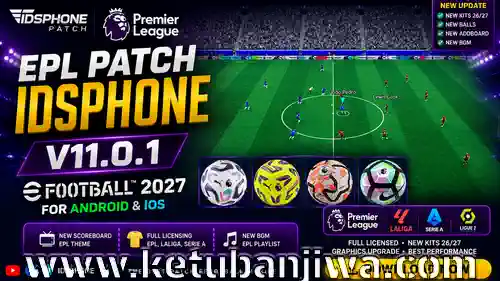
Download eFootball 2027 Mobile Patch v11.0.1 English Premier League – EA EPL Themes For Android & iOS
FEATURES :
Gameplay/Graphics
• New Pitch — New Grass
• Pitch Lines — Fixed jagged/serrated edges
• Daily Game — No Sound Bug Fixed
• EPL, La Liga Update 26/27
• Bologna — Fixed
• AS Roma — Font & Sponsor Fixed
• And More
Premier League (26/27)
• Brentford 27 — Updated
• Coventry City 27 — Updated
• Crystal Palace 27 — Updated
• Everton 27 — Updated
• Fulham UP — Updated
• Hull City — Updated
• Nottingham Forest 27 — Updated
• Sunderland 27 — Updated
• Bournemouth — Font Fixed
• Chelsea — UP Sponsor Kits
• Tottenham — Kits Logo Size Fixed
LaLiga / Segunda (26/27)
• Levante — Font Bug Fixed
• Elche — Updated
• Celta Vigo — Updated
• Deportivo Alavés — Updated
• Espanyol — Updated
• Getafe — Updated
• Levante — Updated
• Osasuna — Updated
• Real Sociedad — Updated
• Racing Santander — Updated
• Sevilla — Updated
• Valencia — Updated
• Villarreal — Updated
• Real Betis — Updated
• Malaga — Updated
• Rayo Vallecano — Updated
National Teams
• Finland — Added
• Switzerland — Added
• Scotland — Away Kit Chest Position Fixed
Indonesian League
• PSIM Fixed
Kits License (Full Licensing)
This patch brings full licensing including team names, official logos, and the latest kits for various popular leagues:
Premier League
Serie A
La Liga
Scottish Premiership (Classic Kits / Retro Teams)
Meiji Yasuda J1 League (Indonesian League 1)
AFC Champions League Elite (Indonesian League 2)
HOW TO INSTALL :
1. Download Patches
Download all patch files via the provided download links.
2. Extract Files
Use ZArchiver or RAR to extract all the downloaded files.
3. No Need to Uninstall the App
The patch can be installed directly without uninstalling the original eFootball app from your device.
4. Install the Patch APK/IPA
Install the Patch APK file as usual and wait for the installation process to complete.
5. Install Assetpack / Database
Use the MT Manager app to install the Assetpack or Database files into the game’s patch folder.
6. Watch the Tutorial If Unsure
If you encounter difficulties during the Assetpack installation process, please watch the full tutorial on the Idsphone YouTube channel.
7. Log in via Konami ID
Perform a Data Transfer using your Konami ID to restore your account and game data to their previous state.
CREDITS:
Idsphone, Trizr, Amir, STPN — for tools and their valuable contributions!
Credits Kits
Carlox Kit Maker, NonoKitmaker, Meryo, BAU
DOWNLOAD LINK :
ORIGINAL AUTHOR LINK : DOWNLOAD HERE



Join the Discussion!