

- Categories: PES 2021
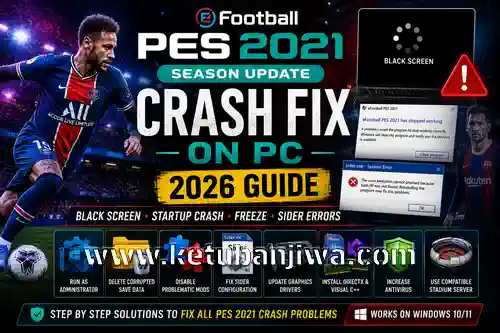
PES 2021 Crash Fix on PC (2026 Guide) – Black Screen, Startup Crash, Freeze & Sider Errors
If you are experiencing crashes in eFootball PES 2021 Season Update, you are not alone. Many players still face problems such as:
PES 2021 crashing on startup
Black screen after launch
Freeze during match loading
Sider.exe crash
“Steam has stopped working”
Random crash to desktop (CTD)
Stadium Server errors
Graphic mod crashes
In this complete troubleshooting guide, we will explain the most effective ways to fix PES 2021 crash issues on Windows 10 and Windows 11.
Why Does PES 2021 Keep Crashing?
Most crashes happen because of:
- Broken mods
- Corrupted save files
- Old graphics drivers
- Incompatible Sider modules
- Incorrect Stadium Server setup
- DirectX problems
- Low virtual memory
- Antivirus blocking game files
The good news is:
most PES 2021 crashes can be fixed in under 15 minutes.
1. Run PES 2021 as Administrator
One of the simplest fixes is running the game with administrator privileges.
Steps
- Go to your PES 2021 installation folder
- Right-click:
PES2021.exeSettings.exesider.exe
- Click Properties
- Open the Compatibility tab
- Enable:
- “Run this program as administrator”
- Click Apply
This fix often solves:
- startup crashes
- black screen
- Steam permission errors
2. Delete Corrupted Save Data
Corrupted save files are one of the biggest causes of crash-to-desktop issues.
Save Folder Location
Documents\KONAMI\eFootball PES 2021 SEASON UPDATEWhat To Do
- Backup the folder first
- Delete:
- system data
- edit data
- corrupted save files
- Launch the game again
If the game starts normally afterward, the problem was caused by damaged save data.
3. Disable Problematic Mods
Many crashes happen because of incompatible mods.
Especially:
- old facepacks
- broken gameplay mods
- outdated Sider modules
- incorrect stadium IDs
Common Mod Conflicts
| Mod Type | Crash Risk |
|---|---|
| Old Stadium Server | High |
| Broken Facepack | Medium |
| Gameplay Mods | Medium |
| Scoreboards | Low |
| Camera Mods | Low |
4. Fix Sider Crash Problems
If your game crashes after installing Sider, check your sider.ini configuration.
Common Causes
- wrong livecpk order
- missing modules
- outdated Lua scripts
- unsupported stadium map
Recommended Fix
Disable modules one by one:
lua.module = "StadiumServer.lua" lua.module = "Camera.lua" lua.module = "Scoreboard.lua"Test the game after disabling each module.
This helps identify the broken plugin.
5. Update Your Graphics Driver
Outdated GPU drivers can cause:
- black screen
- random freezing
- DirectX crash
- lag spikes
Update your graphics card driver:
- NVIDIA users → install latest Game Ready Driver
- AMD users → install latest Adrenalin Driver
- Intel users → update integrated graphics driver
6. Install DirectX and Visual C++ Redistributables
PES 2021 depends on several Microsoft runtime libraries.
Install:
- DirectX End-User Runtime
- Visual C++ 2015–2022 Redistributable
Missing runtime files often cause:
- startup crash
- missing DLL errors
- sudden close after splash screen
7. Verify Steam Game Files
If you are using the Steam version of PES 2021:
Steps
- Open Steam
- Go to Library
- Right-click PES 2021
- Click Properties
- Open Installed Files
- Click:
Verify integrity of game files
This can repair:
- corrupted executables
- missing files
- damaged game assets
8. Increase Virtual Memory
Low virtual memory can cause PES 2021 to crash during:
- loading stadiums
- replay scenes
- high graphics usage
Recommended Settings
- Minimum: 4096 MB
- Maximum: 8192 MB
Especially important for:
- 8GB RAM PCs
- heavy graphics mods
- UHD stadium packs
9. Disable Antivirus Temporarily
Some antivirus programs falsely detect:
- Sider
- gameplay DLLs
- mod injectors
This can block the game from launching.
Add exclusions for:
- PES 2021 folder
- Sider folder
- download folder
10. Use Compatible Stadium Server Versions
Many users install incompatible stadium packs.
Recommended
Always match:
- Stadium Server version
- Sider version
- game executable version
Mismatched versions often cause:
- loading freeze
- match crash
- infinite loading screen
Best Stable Setup for PES 2021 in 2026
For the most stable experience:
| Component | Recommendation |
|---|---|
| Sider | Latest stable build |
| Stadium Server | Updated version |
| GPU Driver | Latest WHQL |
| Windows | Windows 10/11 64-bit |
| RAM | 8GB minimum |
| Storage | SSD recommended |
Frequently Asked Questions
Why does PES 2021 crash before match starts?
Usually caused by:
- broken stadium
- invalid facepack
- incompatible gameplay mod
Why does PES 2021 show black screen only?
Possible causes:
- DirectX issue
- GPU driver problem
- fullscreen conflict
- corrupted settings
Can mods permanently damage PES 2021?
No. Most mod-related crashes can be fixed by:
- deleting mods
- restoring backup files
- reinstalling Sider
Final Thoughts
Even in 2026, eFootball PES 2021 Season Update remains one of the best football simulation games for modding communities.
Most crash issues are caused by:
- incompatible mods
- outdated tools
- corrupted save data
By following this guide carefully, you should be able to fix almost every PES 2021 crash problem on PC.
If you still experience issues, check:
- your Sider setup
- stadium compatibility
- GPU driver version
- Windows updates
Happy modding and enjoy the game.




Join the Discussion!