

- Categories: PC Games
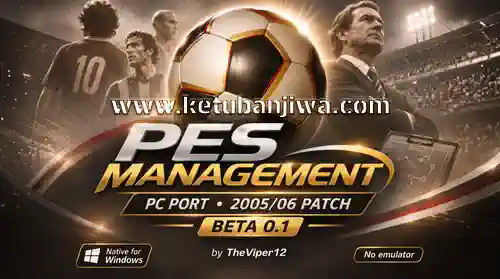
Download PES Management For PC Season 2005/2006 Patch Beta 0.1 Native For Windows No Emulator
What is PES Management?
Pro Evolution Soccer Management is a football management game originally released by Konami for PlayStation 2. Unlike traditional PES titles, players take the role of a manager rather than directly controlling the footballers on the pitch.
The game focuses on team management, starting lineups, tactics, squad decisions, and season progression. Matches can be followed from the touchline, with tactical adjustments and substitutions made as the action unfolds.
Set during the 2005/06 European football season, PES Management shares elements of its football presentation and visual identity with PES 5.
2005/06 Patch Beta 0.1 features
TheViper12’s adaptation includes additional content and technical improvements to bring PES Management back to modern computers:
Real names: authentic team, league, player, manager, and national team names.
PES 5 kits: uniforms with their original numbers and colours, including Boca Juniors and River Plate.
PES 5 faces: player faces taken from PES 5, including Oliver Kahn with a 3D face.
Boca Juniors and River Plate: adjusted player statistics.
PES 5 music: music from the classic football game.
60 FPS support: the option to run the game at 60 frames per second.
Controller support: automatic gamepad detection and controller functionality during season matches.
Brazilian Portuguese: translated menus, season screens, tactics, and commentary text. It replaces German in the language selector, while the spoken commentary remains in Spanish.
PC version improvements
Alongside the 2005/06 content, this PC adaptation provides several display and control options:
Internal rendering resolution from 1x to 4x.
Image filters and improved text sharpness.
Windowed and fullscreen modes.
Experimental 16:9 widescreen support.
60 FPS or 50 Hz settings.
Customizable keyboard and controller controls.
Optional mouse-based player movement.
Save states and quick loading.
The project uses ps2-native-recomp, a recompilation system that allows the game to run on Windows without a traditional PS2 emulator. Certain sections of the original code are translated during gameplay and cached for future sessions.
How to install PES Management on PC
The download includes the game ISO and a ZIP archive containing TheViper12’s PC adaptation. The program requires the European PAL version of PES Management, identified as SLES-53899.
Download the files and extract the ZIP archive to a folder on your computer, such as C:\Games\PES Management.
Avoid installing the program inside Program Files, as Windows permissions may prevent it from writing the necessary files.
Run PES Management.exe.
On first launch, the program will ask you to select the original game ISO. Choose PES Management.iso.
Allow the initial preparation process to finish. This may take one or two minutes.
Once completed, PES Management can be launched directly from its executable on subsequent runs.
Important: the program checks whether the selected ISO matches the required game version. If it is incompatible, a warning appears and no changes are made. The README specifies a complete, unmodified European PAL ISO measuring 4,675,796,992 bytes.
Settings and keyboard shortcuts
Open Configuracion.exe to adjust graphics, resolution, display mode, and controls. Gamepads are detected automatically.
The following keyboard shortcuts are also available:
F11: toggle fullscreen mode.
F1: open the quick menu.
F5: save the current state.
F8: load a saved state.
F2: change the image filter.
F9: generate a problem report.
System requirements
Operating system: 64-bit Windows 10 or Windows 11.
Graphics card: DirectX 12 compatible.
Free disk space: approximately 2.5 GB for the PC adaptation and its files.
Base game: European PAL PES Management PS2 ISO (SLES-53899).
Known issues in Beta 0.1
As an early beta release, the PC adaptation still has some limitations:
National teams display their flags on the shirt.
There is no power bar for free kicks or corners.
The introduction may run slowly, but it can be skipped by pressing Start.
16:9 widescreen support is still experimental.
Temporary pauses may occur when entering certain screens or situations for the first time while the program translates game code. The results are stored in the ee-live folder for subsequent sessions.
If a problem occurs, the developer recommends pressing F9 to generate a report inside the reports folder. If the game fails to launch, the latest file in the logs directory can help identify the issue.
Credits
Native PC adaptation and 2005/06 patch: TheViper12.
Kits and player faces: Kitserver and PES 5 community mods.
Engine: ps2-native-recomp. Included compiler: llvm-mingw.
Original game: PES Management, copyright Konami.
DOWNLOAD LINK :
VIP WITH NO ADS – FAST & CLEAN
✔ No Ads / No Waiting
✔ Fast & Direct Download
VIP DOWNLOAD WITH NO ADS : DOWNLOAD HERE
FREE DOWNLOAD WITH ADS : DOWNLOAD HERE




Join the Discussion!